Memory Pictures Viewer v1.21
We are pleased to announce the immediate release of Memory Pictures Viewer v1.21. In this update, we improved the photo preview quality
We are pleased to announce the immediate release of Memory Pictures Viewer v1.21. In this update, we improved the photo preview quality
We are pleased to announce the immediate release of Memory Pictures v1.21. In this update, we optimize the loading of the Photo Listing and the Photo Preview Quality
We made some further refinement to the theme and it is working as designed when the Display Scaling is set to 125%
We are pleased to announce the immediate release of Batch JPEG Date Changer v1.38. In this update, we fixed a bug which causes some of the drop boxes not to scale when the Windows Scaling is set to 125%
We are pleased to announce the immediate release of iRedSoft Image Resizer v5.44. We reworked the Resizing by Cropping routine
We are pleased to announce the immediate release of JBatch It v6.46. In this update, we reworked the Resizing by Cropping routine
We are pleased to announce the immediate release of Batch It v6.58. In this update, we updated the Resizing by Cropping routine
We are pleased to announce the immediate release of Batch it Ultra v5.73. In this update, we reworked the Resizing by Cropping function
We are pleased to announce the immediate release of Batch it Pro v5.73. In this update, we reworked the Resizing by Cropping function
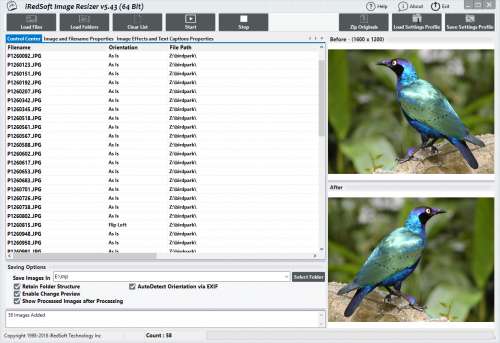
We are pleased to announce the immediate the release of iRedSoft Image Resizer v5.43. In this update, we made some internal updates and a UI Update.