Browse Category: Announcements

iRedSoft Image Resizer v5.05, JBatch It v6.04, Batch It 6.03 and Batch It Pro v5.04 Released

We are pleased to announce the immediate availability of the above mentioned applications. These update fixes a critical bug which causes the “Retain Sub Folder” when used with “Load Folders” not to work as planned. All the processed images are saved in the defined Save In Folder instead of their respective sub folders.

The Retain SubFolder method works only if you use Load Folders and at the same time, have the application load all sub folders.

ComboTIFF Pro v2 Released (FKA Batch TIFF Resizer Lite)

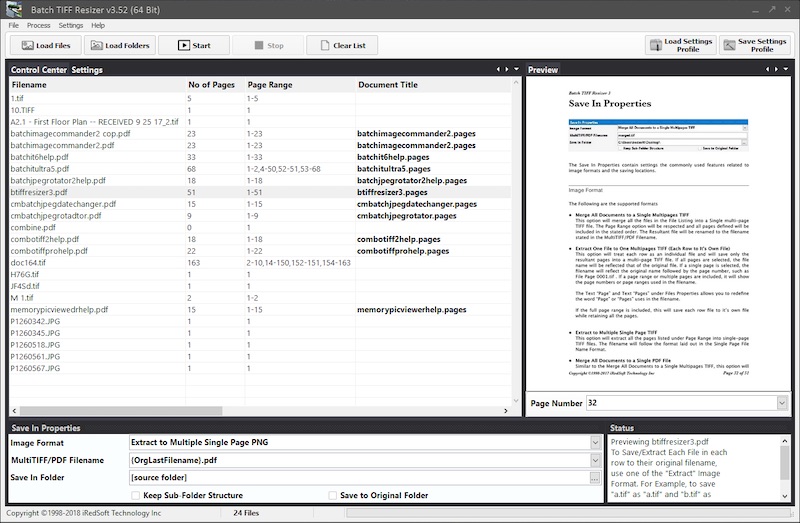
We are pleased to announce the release of ComboTIFF Pro v2. This is a major upgrade of Batch TIFF Resizer Lite. The name change represents what the application does better.

The application not only resize Multipage TIFF and Single Page TIFF, it allows you to merge TIFF,PNG and JPEG files together. It also allows you to extract, rearrange, remove pages from the TIFF files.

ComboTIFF Pro allows you to

  •  work with Multipage TIFF, Single page TIFF, PNG and JPEG images
  • extract a page or range of pages from the Multipage TIFF documents
  • organize pages from within a Multipage TIFF document using page ranges (ascending or descending) or single pages
  • merge several TIFF, PNG and JPEG images together into a single Multipage TIFF
  • save all extracted pages into a single Multipage TIFF file
  • save each documents as individual Multipage TIFF files
  • save all extracted pages into multiple Single page TIFF, PNG and JPEG Files
  • change TIFF Compression to None, CCITT G3, CCITT G4, JPEG v7.0, Packbits or LZW
  • change TIFF Colorspace to CMYK, YcbCR, RGB, RGB Palette or CIELab
  • resize the dimension of each page by Pixel Dimension, Percentage or to 3/4x, 1/2x, 1/3x and 1/4x the original dimension while retaining ratio aspect
  • rotate pages 90º clockwise, 90º counterclockwise, 180º or flip left or flip down
  • apply sharpening effect to the pages
  • change color depth to 1 Bit, 4 Bits, 8 Bits or 24 Bits
  • support Grayscale images including Grayscale JPEG output
  • add Text Captions to all or selected pages in the document
  • add copyright tag to the files as and where the tag is supported

It is now supports 32 Bit and 64 Bit Windows natively with the two available versions.

ComboTIFF for Windows v2.02 Released

We are pleased to announce the release of ComboTIFF for Windows v2.02. This version fixes a bug which causes the Windows background to be shown on the File Listing when the application is being resized. It also adds Drag and Drop Support.

Batch It Pro v5.03 and ComboTIFF for Windows v2.01 Critical Updates

We are pleased to announce the release of Batch It Pro v5.03 and ComboTIFF for Windows v2.01 with immediate effect.

This update fixes a critical bug which causes the application to hang when using the following parameters, “Image Resizing” is set to “Downsize by Pixels” and “Keep Dimension Ratio Aspect” is enabled. In some instance, the ratio aspect is not respected and in rare cases, causes the application to hang in a perpetual loop.

A critical DLL file is also missing from the Batch It Pro 64 Bit EXE installer which may cause the application to fail to function.

We encourage you to download this latest version.

iRedSoft Image Resizer v5.04 / JBatch It v6.03 / Batch It v6.02 Critical Updates

We are pleased to announce the release of iRedSoft Image Resizer v5.04, JBatch It v6.03 and Batch It v6.02 with immediate effect.

This update fixes a critical bug which causes the application to hang when using the following parameters, “Image Resizing” is set to “Downsize by Pixels” and “Keep Dimension Ratio Aspect” is enabled. In some instance, the ratio aspect is not respected and in rare cases, causes the application to hang in a perpetual loop.

We encourage you to download this latest version.

Batch It Pro v5.02 and Batch It v6.01 Released

We are pleased to announce the immediate release of Batch It Pro v5.02 and Batch It v6.01. These updates adds the following options to the application.

  • Added Drop Shadow Size,
  • Drop Shadow X Offset,
  • Drop Shadow Y Offset,
  • Drop Shadow Color,
  • Drop Shadow Opacity and
  • Drop Shadow Background Color

Batch It Pro v5 Released

We are pleased to announce the immediate release of Batch It Pro v5. This is a major version upgrade which requires a total rewrite of the application to support many of the requested features and also supports the latest Windows 8. Batch It Pro v5 now supports both 64 Bit and 32 Bit Windows natively. The 64 Bit build supports the larger memory addressing and is capable of handling larger photos and process them even faster than before.

bitp5mainscreen2

What’s New in v5

  • Both 32 Bit and 64 Bit Support. The 64 Bit Supports Windows 8 x64, Windows 7 x64 and Windows Vista x64 which allows you to address more than the 4 gigabytes thus allowing you to process large images much faster. On a 32 Bit version, Batch It Pro would use the hard drive to perform the image processing.
  • Windows 8 Touch Friendly Controls. We removed the Main Menu Controls and included all the controls as large button controls. The decision to redesign the interface is to make Batch It Pro Touch Friendly especially on Windows 8 Notebook with Touch Screen Support and Windows 8 Tablets.
  • Improved Memory Management. Rewriting the application allows us to strip all the code cluster which allows us to reduce the memory usage and a huge leap in performance and speed.
  • Improved Drag and Drop. In prior versions, dragging and dropping only supports image files but with v5, you can drag and drop folders too.
  • Loading and Saving CSV List of Images. Now with Batch It Pro v5, you can load  and save your list of image filename, their new name and text captions which is generated by your spreadsheet or text editor.
  • AutoDetect Orientation via EXIF. Most modern digital cameras now comes with a digital orientation sensor to record the orientation of the images. With this new feature, Batch It Pro will use this detail in the EXIF header to auto-set the orientation settings in Control Center.
  • Visual Crop Dimension Setting. In the past, to determine a crop dimension you would need to manually enter the Crop X, Crop Y, Width and Height Properties but beginning from v5, you could do so using the Before Preview Window and select the dimensions visually.
  • Color Space Support. This function allows you to change the Color Space of the images.
  • ICC Profile Support. Now included in v5, we support any embedded ICC Profile.
  • Single Page TIFF Reading and Saving Support. Although this is not a typical image format supported by digital cameras, we included this as it is commonly used platform in the office environment for document digitization.
  • Macro Support in Text Caption. Included in Batch It Pro for the first time is the support for Macros in the Text Caption which allows you to tag Filename and Date Time to the Text Caption apart from a Static Text Caption.
  • Grayscale JPEG Support. Batch It Pro v5 now supports generating 8 Bit Grayscale JPEG images.
  • Contact Sheet Printing Support. Contact Sheet are printed thumbnail galleries of photos which you can distribute or keep as reference.
  • Reworked of the Image Effects Options. In v5, we separated all the image effects so that allow you to apply more than 1 effect at a time to the images.
 Old Photo, Negative, Sepia, Grayscale and Equalize Effects Added. We included several new effects to the arsenal to have spruce up your images.
  • Improved Sepia Effect. We included a Sepia Saturation slider which allows you to change the tone of the Sepia color.
  • Improved Drop Shadow Effect. We rewrote Drop Shadow effect which includes the gaussian effect which looks more natural.
  • Improved Text Caption Support. This allows you to tag on a Text Caption to the images with or without Drop Shadow effect. New support includes fine-tuning the Text Caption Alignment by using an X and Y axis offset.
  • Improved Watermark Support. This allows you to include a watermark to the images. This version includes an improved transparency support for PNG and GIF images with Alpha Channel, the ability to include drop-shadow effect and the ability to resize watermark on the fly.
  • XML Style Settings Profile File. We moved the Setting Profile from an INI format to the XML Style. This allows us to store more complex settings information which includes Unicode text.
  • Improved Error Checking. We included several additional error checking and error handling in the image processing routine which would skip erroneous images without crashing.
  • Fully Customizable Windows. Each of the different panels within the application can now be rearranged or detached to support your working preferences.

System Requirements

Operating System

32 Bit Edition – Windows XP, Windows Vista, Windows 7 (32 Bit & 64 Bit), Windows 8 (32 Bit & 64 Bit)

64 Bit Edition – Windows Vista (64 Bit), Windows 7 (64 Bit) and Windows 8 (64 Bit)

The 32 Bit Edition would work on all supported 32 Bit or 64 Bit Windows Operating System but the 64 Bit Edition will only work on a 64 Bit Windows Operating System.

Batch It Pro v5 is available for immediate download and purchase from our website and it retails for US$49.95.

Batch It v6 Released (64 Bit/32 Bit)

We are pleased to announce the immediate release of Batch It v6. This is a major opportunity for us to revamp our flagship application to cater for the new Windows platform, particularly Windows 8 and the 64 Bit Windows Operating System. In the past, our 32 Bit Batch It works on both the 32 Bit and 64 Bit Windows but now with Batch It 6, the support is native so you can take advantage of the faster processing and larger memory addressing which the 64 Bit platform provides.

batchit6main

What’s New in v6

  • Both 32 Bit and 64 Bit Support. The 64 Bit Supports Windows 8 x64, Windows 7 x64 and Windows Vista x64 which allows you to address more than the 4 gigabytes thus allowing you to process large images much faster. On a 32 Bit version, Batch It would use the hard drive to perform the image processing.
  • Windows 8 Touch Friendly Controls. We removed the Main Menu Controls and included all the controls as large button controls. The decision to redesign the interface is to make Batch It Touch Friendly especially on Windows 8 Notebook with Touch Screen Support and Windows 8 Tablets.
  • Improved Memory Management. Rewriting the application allows us to strip all the code cluster which allows us to reduce the memory usage and a huge leap in performance and speed.
  • Improved Drag and Drop. In prior versions, dragging and dropping only supports image files but with v5, you can drag and drop folders too.
  • AutoDetect Orientation via EXIF. Most modern digital cameras now comes with a digital orientation sensor to record the orientation of the images. With this new feature, Batch It will use this detail in the EXIF header to auto-set the orientation settings in Control Center.
  • Visual Crop Dimension Setting. In the past, to determine a crop dimension you would need to manually enter the Crop X, Crop Y, Width and Height Properties but beginning from v5, you could do so using the Before Preview Window and select the dimensions visually.
  • Color Space Support. This function allows you to change the Color Space of the images.
  • ICC Profile Support. Now included in v6, we support any embedded ICC Profile.
  • Single Page TIFF Reading and Saving Support. Although this is not a typical image format supported by digital cameras, we included this as it is commonly used platform in the office environment for document digitization.
  • Macro Support in Text Caption. Included in Batch It for the first time is the support for Macros in the Text Caption which allows you to tag Filename and Date Time to the Text Caption apart from a Static Text Caption.
  • Grayscale JPEG Support. Batch It v6 now supports generating 8 Bit Grayscale JPEG images.
  • Contact Sheet Printing Support. Contact Sheet are printed thumbnail galleries of photos which you can distribute or keep as reference.
  • Reworked of the Image Effects Options. In v6, we separated all the image effects so that allow you to apply more than 1 effect at a time to the images.
  • Old Photo, Negative, Sepia, Grayscale and Equalize Effects Added. We included several new effects to the arsenal to have spruce up your images.
  • Improved Sepia Effect. We included a Sepia Saturation slider which allows you to change the tone of the Sepia color.
  • Improved Drop Shadow Effect. We rewrote Drop Shadow effect which includes the gaussian effect which looks more natural.
  • Improved Text Caption Support. This allows you to tag on a Text Caption to the images with or without Drop Shadow effect. New support includes fine-tuning the Text Caption Alignment by using an X and Y axis offset.
  • Improved Watermark Support. This allows you to include a watermark to the images. This version includes an improved transparency support for PNG and GIF images with Alpha Channel, the ability to include drop-shadow effect and the ability to resize watermark on the fly.
  • XML Style Settings Profile File. We moved the Setting Profile from an INI format to the XML Style. This allows us to store more complex settings information which includes Unicode text.
  • Improved Error Checking. We included several additional error checking and error handling in the image processing routine which would skip erroneous images without crashing.

Batch It 6 now comes with 4 different installers, both the MSI and EXE installers and each offering a choice of the 64 Bit and 32 Bit version of the application. Despite the numerous changes, we are please to maintain the same retail price of US$35.95.

All existing Batch It 5 customers would be contacted via email within the next week about an upgrade offering. Any purchase between January 1st 2013 and February 28th 2013 of Batch It 5 will receive a free upgrade to this new Batch It 6.

Batch JPEG Rotator v2 Released

We are pleased to announce the immediate release of Batch JPEG Rotator 2. Batch JPEG Rotator is an application which allows you to batch rotate JPEG images without losing image quality.

Batch JPEG Rotator v1 was released in early 2008 and we have enhanced it over the years with optimization under the hood. However, we were not fully satisfied with its performance in this modern times and decided it was a good idea to revamp the entire imaging engine so that it works much faster and offer you more controls. At the same time, Batch JPEG Rotator v2 comes with a new modern interface which supports the latest Windows 8.

Here are the list of some of the major changes in Batch JPEG Rotator 2

•Batch JPEG Rotator 2 now comes in both 32 Bit and 64 Bit versions. The 64 Bit Version works with both Windows 7 64 Bit and Windows 8 64 Bit and is capable of addressing more memory thus speeding up the JPEG Rotation process.

•Apart from the traditional loading of Photos via the Thumbnail Gallery, Batch JPEG Rotator 2 now allows you to speed up the process by loading up the list of JPEG in the grid table.

•Batch JPEG Rotator 2 offers option to only load JPEG Photos which needs to be rotated. This would reduce substantially reduce the time taken to load up the list or the thumbnail gallery if all you need is to fix the orientation of the portrait photos.

•Improved Undo Option. By default, Batch JPEG Rotator 2 would now make a backup of the original JPEG prior to rotating them which could be restored if you undo the batch rotation.

•Batch JPEG Rotator 2 now comes with a choice to use the default JPEG Lossless Orientation or the Lossy Orientation which would allow you to reduce the file size further by changing the JPEG Quality.

This application comes with a 21 Days Free Evaluation Policy. Feel free to download a copy from our website. We are confident that you would find it useful.